Ledger Live Login Works Through Your Device, Not a Password
People search for a Ledger Live login every day. The surprising answer is that there is none. Ledger Live, now renamed Ledger Wallet, has no account, no username and no password stored on a server.
Access comes from your Ledger device and its PIN. That is a security feature, not a missing one. A website asking you to “log in to Ledger Live” is almost always a phishing page.
Below, we explain how access really works, how to protect the app on your computer and phone, and how to spot fake login pages.

Why Ledger Live Has No Login Page
Exchanges and banks hold your money, so they need accounts to know who you are. Ledger Live does not hold anything. Your crypto lives on the blockchain, and the keys that control it live on your Ledger signer.
What replaces the login
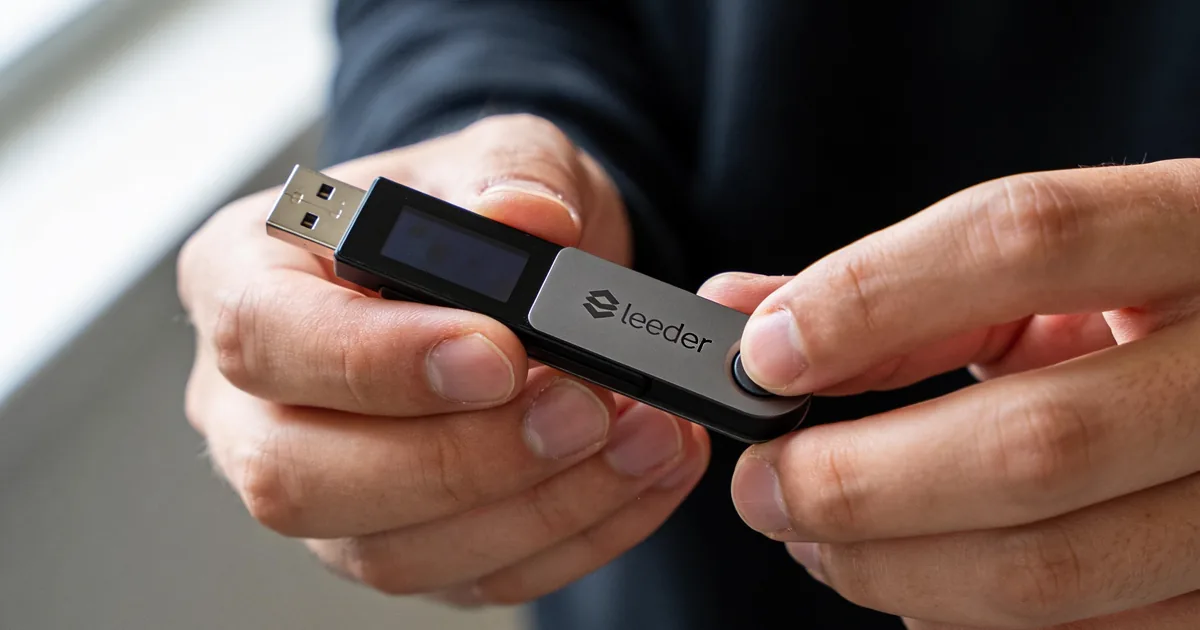
You open the app, connect your device and enter your PIN on the device itself. From that moment, Ledger Live can show balances and prepare transactions. Every outgoing transaction still needs your approval on the device screen. Close the app or unplug the device, and the session simply ends.
Why this is safer
There is no password database to leak, no account to take over and no support agent who can reset your access. Nobody can sign in to your wallet from another country, because there is nothing to sign in to.
Fake Ledger Live Login Pages and How to Recognize Them
Scammers build pages that look exactly like Ledger Live and ask you to “verify”, “sync” or “log in”. All of them end the same way: a form asking for your 24-word recovery phrase.
Red flags
- A page asks for your recovery phrase, private key or “secret words”
- The domain is not ledger.com, even if it looks close
- You arrived through a sponsored ad, an email or a direct message
- The page claims your wallet is “suspended” or “needs reactivation”
If you see any of these, close the page. The real app never asks for your phrase after setup.
Protecting the App on Your Computer and Phone
Even without a login, the app shows your balances and history. If you share a computer or lose your phone, you may want to hide that information.
Turn on the password lock
Ledger Live has an optional password lock in Settings. When it is on, the app asks for this password before it opens. It protects your privacy on the device. It does not protect your crypto, which is already secured by your Ledger and its PIN.
Phone security
On mobile, use a strong screen lock or biometrics. Keep the system and the app updated. If the phone is lost, your funds stay safe, because the keys never left your Ledger.
Using Ledger Live on Several Devices
Many people use Ledger Live on a laptop and a phone. You do not need an account to keep both in sync.
Ledger Sync
Ledger Sync keeps your list of accounts the same across desktop and mobile. It uses encryption keys from your Ledger signer through the Ledger Key Ring Protocol, with no email or password. You approve it on the device, and your accounts appear on the other screen.
Starting fresh on a new computer
Install Ledger Live, connect your device, unlock it and add your accounts again or turn on Ledger Sync. Your recovery phrase is not needed for this.
What Your PIN Protects
The PIN is the closest thing Ledger has to a password. It is set on the device and never leaves it.
How the PIN works
- You choose a 4 to 8 digit PIN during device setup
- You enter it on the device each time you unlock it
- After three wrong attempts, the device wipes itself
- You restore access on any Ledger device with your 24-word phrase
Pick a PIN that is not your birthday or 1234. If a thief takes your device, the PIN and the automatic wipe are what stop them. You can change your PIN later in the device settings, which is a good idea if someone may have seen you type it.
If You Already Entered Your Phrase on a Fake Page
It happens to careful people too. What matters now is speed.
What to do right away
- Get a new Ledger device, or reset your current one
- Set it up as a new wallet with a brand-new 24-word phrase
- Send all funds from the old accounts to the new ones as fast as possible
- Revoke token approvals linked to the old addresses
- Never use the old phrase again
Scammers usually drain wallets within minutes, so do not wait for support to reply before moving what is left. Then report the fake page to Ledger through support.ledger.com.
Ledger Live vs an Exchange Account
The lack of a login is the clearest sign of the difference between Ledger Live and an exchange. One holds your keys, the other never does.
What you gain without an account
- No account to hack, freeze or close
- No password resets that a scammer can trick support into doing
- No dependence on a company staying solvent to access your funds
- Freedom to use your keys with other compatible wallets if you ever want to
What you take on
You are the only one who can restore access, so your recovery phrase must be safe and readable. There is no “forgot password” button for your crypto. Most people find that a fair trade once they have written the phrase down properly and stored it away from the device.
Why scammers love the word “login”
People who search for a Ledger Live login are often new and a little confused, and scammers know it. They buy ads for exactly these searches and send people to pages built to collect recovery phrases. The safest habit is to never search for Ledger at all: type ledger.com yourself or open the app you already installed.
Shared Computers and Family Use
Ledger Live can run on a family laptop or a work computer without exposing your crypto. Still, a few settings help keep things private.
Simple privacy steps
- Turn on the password lock so others cannot open the app
- Hide balances when you show the screen to someone
- Close the app when you finish
- Keep your Ledger device with you, not next to the computer
Even if someone opens the app, they cannot send anything without your Ledger and its PIN.
Official Access Points and Ledger Security
Ledger reports more than 8 million customers and has built hardware wallets since 2014. Knowing the official channels is the easiest way to stay away from fake logins.
Where the real Ledger lives
- Website: ledger.com, with the shop at shop.ledger.com
- Apps: Ledger Wallet (formerly Ledger Live) by Ledger SAS on the App Store and Google Play
- Help: support.ledger.com, with no support via direct messages
- Devices with CC EAL6+ Secure Elements on Nano S Plus, Nano Gen5, Flex and Stax, and CC EAL5+ on Nano X
- Genuine check, Clear Signing and Transaction Check built into the app
Ledger support will never ask for your recovery phrase, remote access to your computer or a “verification” payment.
Articles in This Security Dossier
Read the accompanying analysis and operational security protocols:
- Ledger Download: Secure Wallet Software And Cold Storage Ledger Download explains secure hardware wallet software, seed phrase protection, address checks, and defenses against phishing, malware, and blind signing.
- Ledger Live Security: Protecting Crypto Assets Ledger Live helps users manage hardware wallet accounts while emphasizing seed phrase protection, address verification, and defense against phishing and malware.
- Ledger Wallet Security: Safeguarding Crypto Assets Ledger Wallet is a hardware device for self-custody, protecting seed phrases, private keys, and crypto assets against phishing, malware, and blind signing risks.
Frequently Asked Questions
How do I log in to Ledger Live?
There is no login. You open the app, connect your Ledger device and unlock it with your PIN. The device is your key.
Does Ledger Live have a password?
There is an optional password lock in the app settings that protects your privacy on that computer or phone. Your crypto is secured by the device PIN, not by this password.
I forgot my Ledger Live password. What should I do?
Reinstall the app or reset it from the settings, then connect your device again. Your crypto is not affected, because it is controlled by your Ledger and recovery phrase.
Is a website asking me to log in to Ledger Live a scam?
Yes, almost certainly. Ledger Live is an app, not a website account, and any page asking for your 24 words is phishing.
Can I use Ledger Live on two devices at once?
Yes, install it on both and connect your Ledger to each. Ledger Sync keeps your account list the same everywhere.
Do I need an account to buy crypto in Ledger Live?
Ledger Live itself needs no account. Third-party providers in the Buy section may ask for identity verification, depending on the provider and your country.
Can someone access my Ledger Live remotely?
They can see balances only if they control your computer, and even then they cannot move funds. Every transaction needs your physical approval on the Ledger device.
What happens if I forget my Ledger PIN?
After three wrong attempts the device resets. You can then set it up again and restore your accounts with your 24-word recovery phrase.